Best AI Image Generators 2026: AI की मदद से शानदार तस्वीरें, आर्टवर्क और डिज़ाइन बनाने के सर्वश्रेष्ठ टूल्स

ai_tool_image_generator

आज के डिजिटल युग में आकर्षक और पेशेवर दिखने वाले विज़ुअल कंटेंट की मांग पहले से कहीं अधिक बढ़ चुकी है। चाहे आप एक ब्लॉगर हों, यूट्यूबर हों, सोशल मीडिया क्रिएटर हों, मार्केटर हों या किसी व्यवसाय के मालिक हों, लोगों का ध्यान आकर्षित करने के लिए अच्छी गुणवत्ता वाली तस्वीरें और डिज़ाइन बेहद महत्वपूर्ण हैं।

कुछ वर्ष पहले तक प्रोफेशनल ग्राफिक्स बनाने के लिए Photoshop जैसे जटिल सॉफ्टवेयर सीखने पड़ते थे या किसी डिज़ाइनर की मदद लेनी पड़ती थी। लेकिन Artificial Intelligence के विकास ने इस प्रक्रिया को पूरी तरह बदल दिया है। अब केवल कुछ शब्द लिखकर आप शानदार पोस्टर, ब्लॉग थंबनेल, सोशल मीडिया इमेज, डिजिटल आर्टवर्क, प्रोडक्ट डिज़ाइन और यहां तक कि फोटोरियलिस्टिक तस्वीरें भी बना सकते हैं।

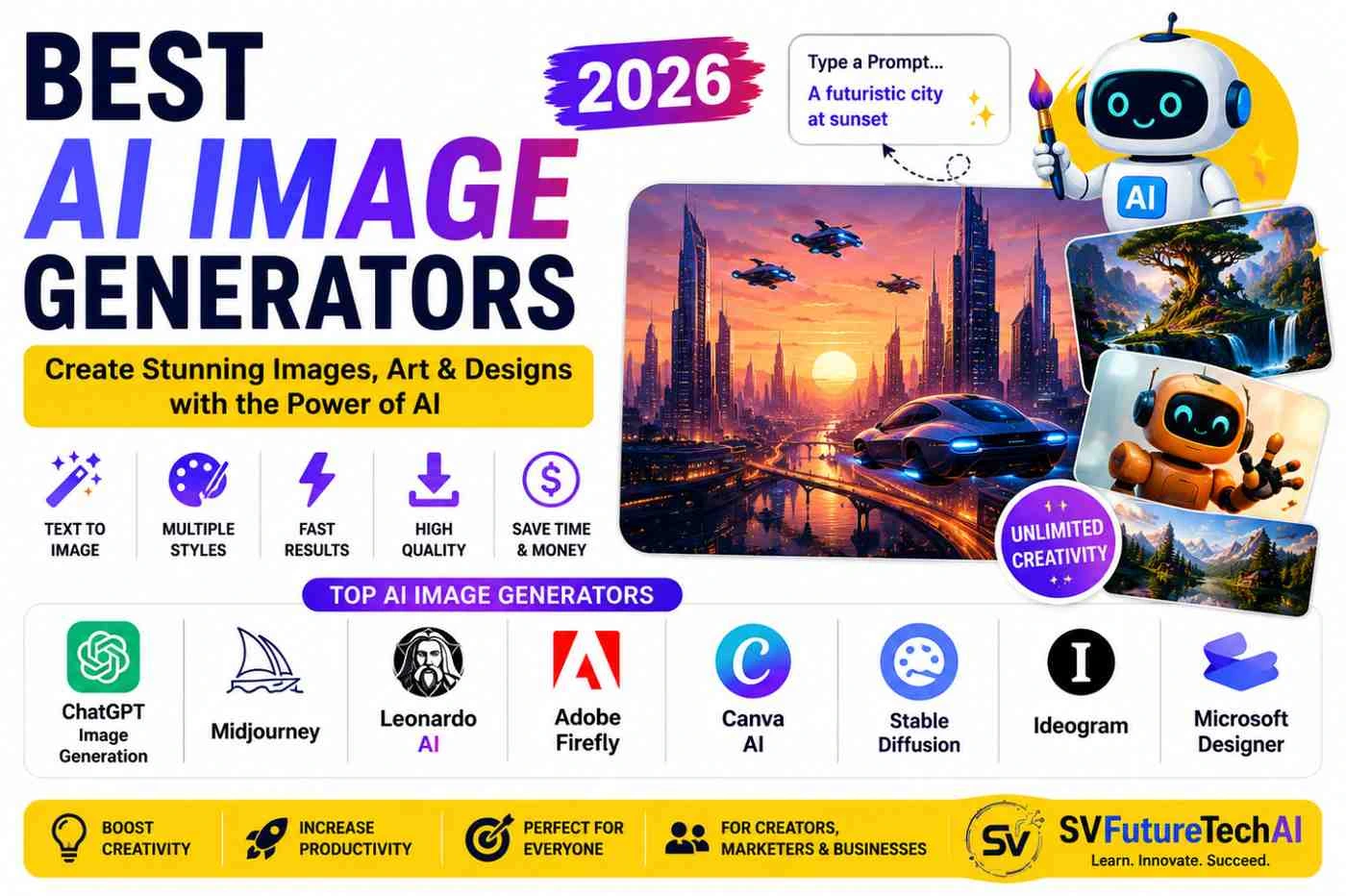
AI Image Generators ऐसे टूल्स हैं जो आपके टेक्स्ट विवरण को समझकर उसके अनुसार नई तस्वीरें तैयार करते हैं। उदाहरण के लिए यदि आप लिखते हैं कि "एक भविष्यवादी शहर जहां उड़ने वाली कारें हों और सूर्यास्त का दृश्य दिखाई दे", तो AI कुछ ही सेकंड में उस विवरण के आधार पर नई तस्वीर बना सकता है।


AI Image Generator क्या है?

AI Image Generator एक ऐसी तकनीक है जो टेक्स्ट प्रॉम्प्ट के आधार पर नई छवियां तैयार करती है। यह तकनीक Deep Learning और Generative AI Models का उपयोग करती है। इन मॉडलों को लाखों तस्वीरों और डिज़ाइनों पर प्रशिक्षित किया जाता है ताकि वे विभिन्न वस्तुओं, रंगों, पैटर्न और कलात्मक शैलियों को समझ सकें।

AI Image Generation का उपयोग आज कई क्षेत्रों में किया जा रहा है:

  • ब्लॉगिंग
  • सोशल मीडिया मार्केटिंग
  • विज्ञापन
  • गेम डेवलपमेंट
  • शिक्षा
  • ई-कॉमर्स
  • डिजिटल आर्ट
  • ब्रांडिंग

2026 के सर्वश्रेष्ठ AI Image Generators

1. ChatGPT Image Generation

ChatGPT अब केवल टेक्स्ट लिखने तक सीमित नहीं है। इसकी इमेज जनरेशन क्षमता उपयोगकर्ताओं को विभिन्न प्रकार की तस्वीरें और ग्राफिक्स बनाने की सुविधा देती है।

उपयोग:

  • ब्लॉग थंबनेल
  • सोशल मीडिया पोस्ट
  • इन्फोग्राफिक्स
  • शैक्षणिक चित्र

फायदे:

  • सरल उपयोग
  • तेज परिणाम
  • उच्च गुणवत्ता वाली छवियां

2. Midjourney

Midjourney दुनिया के सबसे लोकप्रिय AI Art Generators में से एक है।

उपयोग:

  • डिजिटल आर्ट
  • कॉन्सेप्ट डिज़ाइन
  • क्रिएटिव प्रोजेक्ट्स
  • फैंटेसी आर्टवर्क

फायदे:

  • अत्यधिक रचनात्मक परिणाम
  • बेहतरीन कला शैली
  • पेशेवर स्तर की गुणवत्ता

3. Leonardo AI

Leonardo AI विशेष रूप से गेम डेवलपर्स, डिजाइनरों और कंटेंट क्रिएटर्स के बीच लोकप्रिय है।

उपयोग:

  • गेम कैरेक्टर
  • उत्पाद डिज़ाइन
  • मार्केटिंग सामग्री
  • डिजिटल आर्ट

4. Adobe Firefly

Adobe Firefly उन लोगों के लिए उपयोगी है जो Adobe के उत्पादों का उपयोग करते हैं।

उपयोग:

  • ब्रांड डिज़ाइन
  • विज्ञापन सामग्री
  • व्यावसायिक ग्राफिक्स

5. Canva AI

Canva पहले से ही लोकप्रिय डिज़ाइन प्लेटफॉर्म है और इसकी AI सुविधाएं इसे और अधिक शक्तिशाली बनाती हैं।

उपयोग:

  • सोशल मीडिया पोस्ट
  • प्रेजेंटेशन
  • पोस्टर
  • बैनर

6. Stable Diffusion

यह एक Open Source AI मॉडल है जो डेवलपर्स और AI उत्साही लोगों के बीच काफी लोकप्रिय है।

फायदे:

  • कस्टमाइजेशन
  • स्वयं होस्ट करने की सुविधा
  • डेवलपर फ्रेंडली

7. Ideogram

Ideogram विशेष रूप से टेक्स्ट आधारित डिज़ाइन और पोस्टर बनाने के लिए प्रसिद्ध है।

उपयोग:

  • पोस्टर
  • लोगो आइडिया
  • सोशल मीडिया डिज़ाइन

AI Image Generators के लाभ

समय की बचत

जो काम पहले घंटों में होता था, वह अब कुछ मिनटों में किया जा सकता है।

कम लागत

महंगे डिज़ाइन सॉफ्टवेयर और फ्रीलांस डिज़ाइनरों पर निर्भरता कम हो जाती है।

रचनात्मकता में वृद्धि

AI नए विचार और डिज़ाइन विकल्प प्रदान कर सकता है।

व्यवसायों के लिए उपयोगी

मार्केटिंग और ब्रांडिंग सामग्री जल्दी तैयार की जा सकती है।


AI Image Generation की चुनौतियां

हालांकि AI Image Generators काफी उन्नत हो चुके हैं, फिर भी कुछ सीमाएं मौजूद हैं।

  • कभी-कभी गलत विवरण उत्पन्न करना
  • टेक्स्ट रेंडरिंग समस्याएं
  • कॉपीराइट संबंधित प्रश्न
  • अत्यधिक प्रॉम्प्ट पर निर्भरता

इसलिए मानव समीक्षा और रचनात्मकता अभी भी महत्वपूर्ण बनी हुई है।


भविष्य में AI Image Generation

आने वाले वर्षों में AI Image Generation और अधिक शक्तिशाली होने की संभावना है। बेहतर यथार्थवाद, वीडियो निर्माण, 3D कंटेंट और रियल-टाइम डिज़ाइनिंग जैसी क्षमताएं तेजी से विकसित हो रही हैं। भविष्य में यह तकनीक कंटेंट क्रिएशन, शिक्षा, विज्ञापन और डिजिटल व्यवसायों का महत्वपूर्ण हिस्सा बन सकती है।


निष्कर्ष

AI Image Generators ने डिजिटल कंटेंट निर्माण को पहले की तुलना में अधिक आसान और सुलभ बना दिया है। चाहे आप एक ब्लॉगर हों, फ्रीलांसर हों, छात्र हों या व्यवसायी, ये टूल्स आपको कम समय में बेहतर गुणवत्ता वाले विज़ुअल्स बनाने में मदद कर सकते हैं।

SV Future Tech AI पर हम Artificial Intelligence, AI Tools, Programming, Automation, Freelancing, Digital Business और नई तकनीकों से संबंधित जानकारी साझा करते हैं। यह लेख AI की सहायता से तैयार किया गया है तथा पाठकों को अधिक उपयोगी और व्यावहारिक जानकारी देने के लिए संपादित किया गया है। हमारा प्रयास है कि तकनीक से जुड़ी जटिल जानकारियों को सरल भाषा में प्रस्तुत किया जाए ताकि विद्यार्थी, पेशेवर, कंटेंट क्रिएटर और व्यवसायी आधुनिक डिजिटल उपकरणों का प्रभावी उपयोग कर सकें और भविष्य की तकनीकी दुनिया के लिए स्वयं को तैयार कर सकें।

Frequently Asked Questions

There isn't one tool that wins for every type of image. Your choice should depend on what you're creating. For example, Midjourney is worth exploring for artistic and highly stylized visuals, Ideogram is useful when readable text is important, while Canva AI can be more convenient when the generated image needs to become part of a finished social media or marketing design.

For beginners: start with a tool that has a simple interface.
For creative artwork: explore Midjourney and similar visual-focused platforms.
For text-heavy designs: test Ideogram.
For marketing designs: consider Canva AI or Adobe Firefly.

If your priority is realism, compare several generators using the same prompt rather than relying on a single sample image. Look closely at faces, hands, lighting, textures, reflections and small object details. Tools such as Flux, Midjourney and ChatGPT are worth testing, but the result can vary considerably depending on the prompt, model and generation settings.

A good thumbnail needs to work at a small size, communicate the subject quickly and leave enough space for readable text. AI can generate the main character, background or visual concept, while Canva or another design editor can be used to add the final headline and branding. For this workflow, ease of editing can be just as important as the quality of the generated image.

Yes. AI image tools can be useful during the early stages of logo development, particularly when you want to explore different symbols, layouts, colors and visual directions quickly. Tools such as Ideogram, Recraft and Canva can be useful starting points. Before adopting an AI-generated design as a company logo, check its originality, typography, trademark availability and the provider's current usage terms.

Yes, but "free" can mean very different things from one platform to another.

Some services provide a limited number of credits, while others restrict resolution, editing features, generation speed or downloads.

Before choosing a free AI image generator, compare:

  • Number of available generations
  • Image resolution
  • Watermarks
  • Editing options
  • Commercial-use conditions
  • Daily or monthly limits

If you only create a few images each month, a limited free plan may be sufficient.

Commercial usage can depend on the platform, subscription level, generation method and type of content being created.

If you're producing an advertisement, product image, website graphic, client project or paid marketing material, check the provider's latest licensing rules before publishing the image.

Also review the final image for trademarks, recognizable people, copyrighted characters and other potentially protected elements.

This is more complicated than simply asking whether an image was created by AI.

Copyright rules differ between countries and can depend on the amount of human creative involvement in producing the final work. An AI-generated image should therefore not automatically be treated as an exclusively copyrighted asset.

If you're creating commercially important artwork, branding or products, check the laws applicable to your country and the terms of the AI platform you're using.

For someone completely new to AI image generation, simplicity is often more valuable than having dozens of advanced settings.

ChatGPT, Canva AI, Gemini and Microsoft Designer are examples of platforms worth exploring because they can provide relatively straightforward workflows.

Start with a simple project such as a blog illustration or social media graphic. Once you're comfortable writing prompts and evaluating results, move to tools with more advanced controls.

Yes, modern image models have become much better at rendering text, although mistakes can still happen.

If your design depends heavily on accurate wording—such as a poster, advertisement, signboard or headline—test the output carefully.

For text-focused image creation, Ideogram and other typography-oriented tools are worth comparing.

For important marketing material, you can also generate the background with AI and add the final text separately in Canva, Photoshop or another design application.

Yes. AI can be useful for creating product backgrounds, lifestyle scenes, promotional concepts and advertising visuals.

However, there is an important limitation: AI can unintentionally change the appearance of the actual product.

For example, it may alter:

  • Product dimensions
  • Packaging
  • Colors
  • Logos
  • Buttons
  • Labels
  • Materials

For e-commerce and advertising, compare the generated result with the real product before publishing it.

The best choice depends on the type of marketing content you produce.

For example:

  • Canva AI — useful for social media and ready-to-publish designs
  • Adobe Firefly — useful for Adobe-based creative workflows
  • Ideogram — useful for posters and text-heavy promotional graphics
  • ChatGPT — useful for conversational image creation and concepts
  • Recraft — useful for branding and design-oriented assets

For a marketing team, the ability to generate an image and then edit it into the final campaign asset can be more valuable than image quality alone.

Yes. Social media is one of the easiest places to apply AI-generated visuals.

You can create:

  • Instagram post concepts
  • Facebook graphics
  • LinkedIn visuals
  • Pinterest images
  • Promotional banners
  • Reel covers
  • Campaign concepts

For frequent social publishing, consider a workflow where AI creates the visual concept and a design tool handles the final dimensions, text and brand elements.

You don't necessarily have to choose one.

AI image generators are excellent for creating ideas and visual assets quickly, while traditional design software is generally better when you need precise positioning, typography, branding and pixel-level control.

A practical workflow is:

AI generation → select the best result → edit → add branding/text → final quality check

This gives you the speed of AI without giving up control over the finished design.

They can be useful for businesses, but companies should evaluate more than image quality.

Before using a platform for client or commercial work, review:

  • Data and privacy policies
  • Commercial-use rights
  • Content restrictions
  • Subscription terms
  • Ownership/licensing conditions
  • Treatment of uploaded images

For sensitive client material, avoid uploading confidential information unless you understand how the provider handles that data.