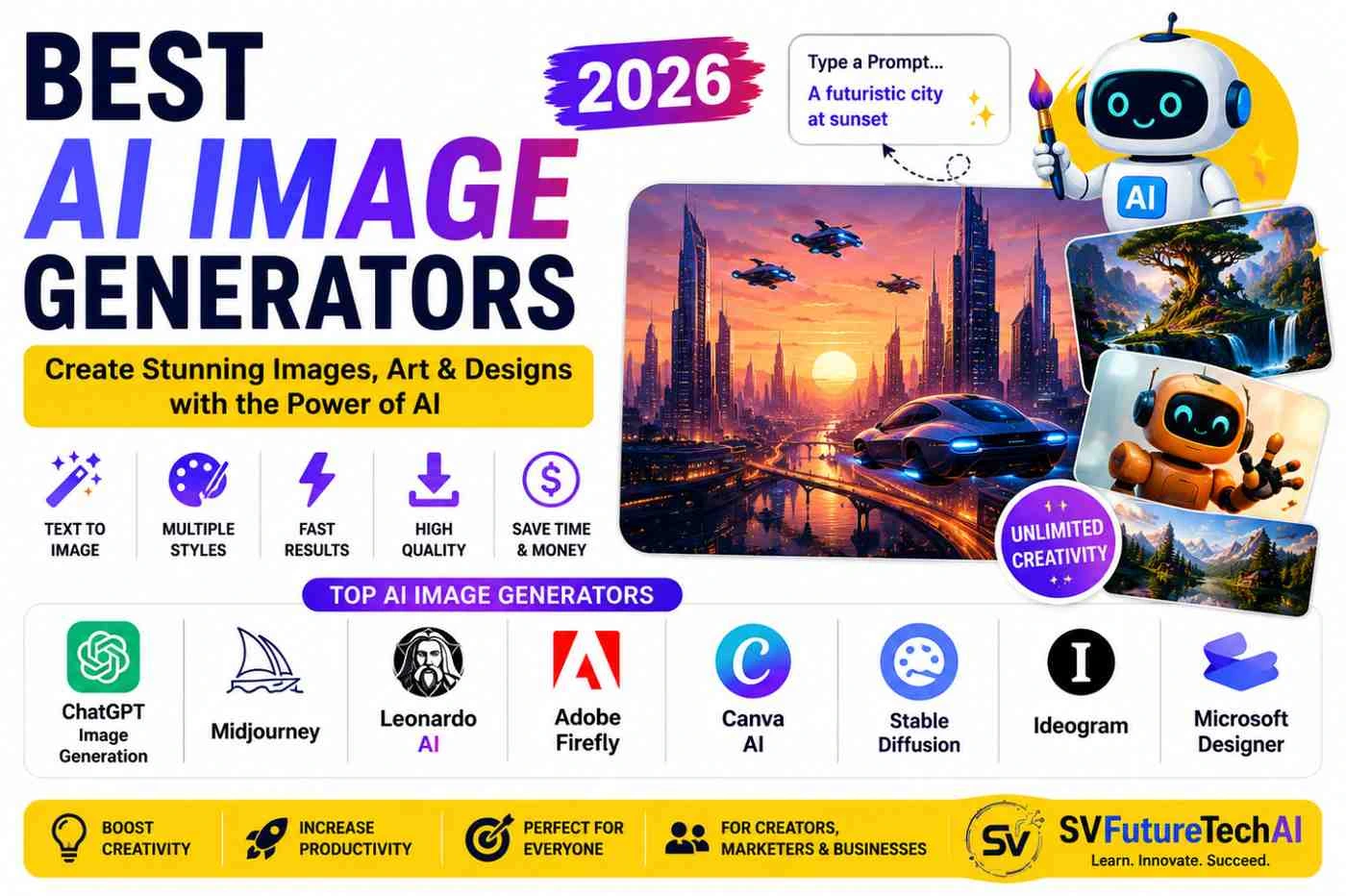
Creating professional images no longer requires advanced Photoshop skills, expensive design software, or hours of manual work. In 2026, AI image generators can turn a simple text description into artwork, marketing graphics, product concepts, illustrations, social media visuals, and realistic-looking images in seconds.
But there is a problem: which AI image generator should you actually use?
Some tools are better for realistic images. Others are designed for creative artwork, typography, marketing designs, product visuals, or professional editing. Some have free options, while others are primarily paid platforms.
In this guide, we compare 25 of the best AI image generators in 2026 and explain what each tool is best suited for, who should use it, and what to consider before choosing one.
The right AI image generator depends on what you are trying to create. A tool that works exceptionally well for concept art may not be the best choice for a business logo, product image, YouTube thumbnail, or marketing campaign. This guide separates the leading tools by their strengths so you can choose one based on your actual workflow.ChatGPT is a strong general-purpose option, Midjourney is popular for creative visual work, Ideogram is particularly useful when images contain text, Adobe Firefly fits well into professional design workflows, and tools such as Leonardo AI, Flux, Recraft, Canva AI, and Gemini offer different combinations of image generation and editing capabilities.
Quick Comparison: Best AI Image Generators in 2026
If you don't want to read the entire guide, start with this comparison.
| AI Image Generator | Best For | Free Option* | Main Strength |
|---|---|---|---|
| ChatGPT Image Generation | General-purpose creation | Limited/plan dependent | Easy prompting and editing |
| Midjourney | Creative artwork | Plan dependent | Artistic image quality |
| Ideogram | Text and typography | Limited | Text-heavy images |
| Leonardo AI | Creative and marketing assets | Limited | Flexible generation workflows |
| Adobe Firefly | Designers and businesses | Limited | Adobe ecosystem |
| Flux | Realistic and creative images | Depends on platform | Image generation quality |
| Google Gemini | General users | Plan dependent | AI-assisted image creation |
| Canva AI | Social media and marketing | Limited | Generation + design workflow |
| Recraft | Branding and graphic design | Limited | Design-focused generation |
| Microsoft Designer | Quick business graphics | Limited | Simple design workflow |
| Stable Diffusion | Advanced users | Open ecosystem | Customization |
| DALL·E | General image creation | Access depends on platform | Prompt-based generation |
| Adobe Express AI | Quick marketing content | Limited | Fast content creation |
| Krea AI | Creative experimentation | Limited | Real-time creative workflows |
| Playground AI | Image creation and editing | Plan dependent | Accessible creative tools |
| Ideogram Canvas | Design concepts | Plan dependent | Text/design workflows |
| NightCafe | AI artwork | Limited | Multiple creative models |
| Artbreeder | Experimental artwork | Limited | Creative image manipulation |
| Craiyon | Simple AI image generation | Limited | Beginner experimentation |
| DeepAI | Simple AI generation | Limited | Easy access |
| Picsart AI | Social and creative editing | Limited | Image editing ecosystem |
| Fotor AI | Marketing and photo editing | Limited | Editing + generation |
| Pixlr AI | Online image editing | Limited | Browser-based editing |
| Kapwing AI | Content creators | Limited | Content workflow |
| Freepik AI | Designers and creators | Limited | Creative asset workflow |
*Free plans, credits, limits, and features can change. Check the provider's current pricing and terms before making a purchasing decision.
Our Top Picks
There isn't one tool that wins every category. Here are our practical picks based on different use cases.
🏆 Best AI Image Generator Overall: ChatGPT
A strong choice if you want an easy conversational workflow for generating and refining images without learning a complicated interface.
Best for: General users, content creators, bloggers, marketers and everyday image creation.
🎨 Best for Creative Artwork: Midjourney
Midjourney is particularly worth considering when visual style is more important than a simple, literal interpretation of a prompt. It is a good fit for concept artists, creators and anyone working on cinematic, fantasy or highly stylized visuals.
Best for: Artists, creators, concept designers and visual storytelling.
🆓 Best Free AI Image Generator
There isn't one permanent winner because free limits change frequently. Free access varies considerably between platforms. Some services provide a small number of generations, while others restrict resolution, editing features or export options. Check the current plan before deciding which tool gives you the best value.
Best approach: If budget is your main concern, test two or three services with the same prompt and compare their available credits, output quality and restrictions before paying for a subscription.
👨💻 Best for Beginners: Canva AI
Canva is particularly convenient when you don't just want to generate an image but also want to place it inside a social media post, presentation, thumbnail or marketing design.
Best for: Beginners, marketers, small businesses and social media creators.
🔤 Best for Text in Images: Ideogram
Ideogram is particularly interesting when the generated image needs to contain readable words, headlines, posters or typography.
Best for: Posters, advertisements, logos, typography and text-heavy graphics.
📸 Best for Realistic Images
The answer depends on the type of realism you need and the current model available through each platform. Tools such as Flux, Midjourney, ChatGPT and other modern image-generation systems can produce highly detailed results.
Best approach: Test the same prompt across several platforms before choosing one for professional work.
📢 Best for Marketing: Adobe Firefly
Adobe's AI ecosystem makes Firefly particularly relevant to designers and businesses already using Adobe's creative tools.
Best for: Marketing graphics, design workflows and creative professionals.
25 Best AI Image Generators in 2026
1. ChatGPT Image Generation
ChatGPT is a convenient choice for users who want to describe an image conversationally and then refine the result through additional instructions.
Instead of learning a complicated prompt interface, you can start with a simple request and continue modifying the result.
Best for
- Blog images
- Social media graphics
- Marketing concepts
- Educational illustrations
- Creative experiments
- Image editing and variations
Why consider it?
The conversational workflow makes it accessible to beginners. You can describe what you want, identify something you want changed, and continue refining the idea.
Potential limitation
The exact image capabilities and usage limits depend on the current ChatGPT plan and product configuration.
2. Midjourney
Midjourney has become well known for generating highly stylized and visually impressive artwork.
It is particularly attractive to creators who care about composition, atmosphere, artistic direction and visual storytelling.
Best for
- Concept art
- Fantasy artwork
- Creative illustrations
- Character concepts
- Visual storytelling
- Artistic projects
Strengths
- Strong artistic output
- Creative visual styles
- Excellent for imaginative concepts
- Large creator community
Consider Midjourney if
You want the image itself to have a strong artistic identity rather than looking like a basic stock photograph.
3. Ideogram
Ideogram deserves special attention for designs where text inside the image matters.
Traditional image generators have historically struggled with accurately rendering words. Ideogram has built a reputation around typography-oriented image generation.
Best for
- Posters
- Typography
- Logo concepts
- Advertisements
- Social media graphics
- Text-heavy designs
Why use it?
If your prompt includes a headline, slogan or other prominent text, this is one of the tools worth testing.
4. Leonardo AI
Leonardo AI provides a broad creative environment for generating visual assets.
It can be useful for people who need more than one-off images and want to experiment with characters, concepts, marketing assets and creative projects.
Best for
- Game assets
- Character concepts
- Marketing visuals
- Creative artwork
- Product concepts
- Content creation
Good choice for
Creators who want more control over the generation workflow.
5. Adobe Firefly
Adobe Firefly is designed around AI-powered creative workflows and integrates with Adobe's wider ecosystem.
That makes it particularly relevant to designers and businesses already using Adobe products.
Best for
- Graphic design
- Marketing assets
- Creative professionals
- Image editing
- Business content
Important consideration
Always check Adobe's current licensing, usage and commercial terms for the specific feature you intend to use.
6. Flux
Flux is better understood as an image-generation model family rather than one single consumer application. Depending on where you access it, you may get different interfaces, controls, pricing and generation limits. That makes the specific platform important when comparing Flux with other tools.
It has attracted attention for its ability to generate detailed and realistic-looking images.
Best for
- Realistic images
- Creative artwork
- Concept images
- Experimental generation
- Advanced users
Because Flux can be accessed through different services, the available features, pricing and controls depend on the platform you use.
7. Google Gemini
Google's Gemini ecosystem has increasingly incorporated image-generation capabilities.
Best for
- General users
- Quick visual concepts
- Creative experiments
- Google ecosystem users
The biggest advantage is convenience for people already using Google's AI products.
8. Canva AI
Canva AI is particularly useful for people who want to generate an image and immediately use it in a finished design.
Instead of moving between an image generator and a design application, you can work inside a broader design environment.
Best for
- Instagram posts
- Presentations
- YouTube thumbnails
- Marketing graphics
- Posters
- Business content
Best suited for
Beginners and small businesses that need speed rather than a highly technical workflow.
9. Recraft
Recraft is particularly interesting for designers and branding workflows.
Best for
- Illustrations
- Brand graphics
- Icons
- Vector-style artwork
- Marketing visuals
It is worth considering when you need generated artwork that fits into a broader design process.
10. Microsoft Designer
Microsoft Designer provides an accessible way to create visual content with AI assistance.
Best for
- Social media posts
- Marketing graphics
- Business content
- Quick visual concepts
Why use it?
It can be a practical option for users who want a straightforward design workflow without learning professional design software.
11. Stable Diffusion
Stable Diffusion is different from many consumer-focused image generators because it has a large open ecosystem.
It is particularly attractive to developers and advanced users who want more control.
Best for
- Developers
- AI enthusiasts
- Custom workflows
- Local experimentation
- Advanced image generation
Main advantage
Customization.
Main disadvantage
It can require considerably more technical knowledge than beginner-friendly platforms.
12. DALL·E
DALL·E helped popularize prompt-based AI image generation and remains an important part of the history and development of generative image technology.
Its availability and capabilities can vary depending on the product through which it is accessed.
Best for
- General image creation
- Creative concepts
- Illustrations
- Educational visuals
13. Adobe Express AI
Adobe Express combines quick design tools with AI-assisted creation.
Best for
- Social media
- Posters
- Marketing graphics
- Quick promotional content
It is particularly useful for people who want a simple alternative to a more complex professional design workflow.
14. Krea AI
Krea is designed for creative experimentation and provides tools for generating and manipulating visual content.
Best for
- Creative exploration
- Designers
- Real-time experimentation
- Visual ideation
15. Playground AI
Playground AI is aimed at users who want to experiment with generated visuals without building a complicated technical workflow. Its usefulness is strongest when image creation and basic creative editing need to happen in the same workspace.
Best for
- Beginners
- Social content
- Creative projects
- Image experimentation
16. NightCafe
NightCafe focuses heavily on AI-generated artwork and creative experimentation.
Best for
- Digital art
- Artistic experiments
- Creative communities
- AI artwork
17. Artbreeder
Artbreeder takes a different approach to AI creativity by allowing users to manipulate and combine visual characteristics.
Best for
- Character concepts
- Experimental art
- Creative exploration
18. Craiyon
Craiyon provides a simple way for beginners to experiment with AI image generation.
Best for
- Beginners
- Students
- Simple experiments
- Learning how prompting works
19. DeepAI
DeepAI offers a collection of AI-powered creative tools, including image generation.
Best for
- Quick experiments
- Beginners
- Developers exploring AI APIs and tools
20. Picsart AI
Picsart combines image editing with AI-powered creative features.
Best for
- Social media creators
- Photo editing
- Marketing content
- Creative design
21. Fotor AI
Fotor combines online photo editing with AI-powered creation features.
Best for
- Product visuals
- Social media
- Photo editing
- Marketing content
22. Pixlr AI
Pixlr is a browser-based image editing platform that incorporates AI features into its creative workflow.
Best for
- Quick editing
- Browser-based design
- Social media images
- Beginners
23. Kapwing AI
Kapwing is primarily known as a content creation and editing platform, but its AI capabilities can be useful when image generation is part of a larger content workflow.
Best for
- Content creators
- Social media
- Marketing teams
- Video and visual workflows
24. Freepik AI
Freepik has expanded beyond stock assets into AI-powered creative tools.
Best for
- Designers
- Marketing teams
- Social media
- Creative assets
- Visual content
25. Other AI Image Tools Worth Watching
Image models and subscription plans change frequently, so a ranking that looks accurate today can become outdated surprisingly quickly. New models and creative platforms appear regularly, while existing services add new features.
For that reason, don't choose a tool solely because it appears on a static "best tools" list.
Instead, compare:
- Current image quality
- Generation limits
- Editing capabilities
- Commercial-use terms
- Pricing
- Output resolution
- Speed
- Ease of use
- Privacy
- Available integrations
How We Compared These AI Image Generators
A list of AI tools is only useful if you understand why one tool is recommended over another.
For this comparison, the most useful evaluation criteria are:
1. Image Quality
Does the tool consistently produce detailed and visually coherent images?
2. Prompt Accuracy
Does the generated image actually follow the user's instructions?
3. Text Rendering
How accurately does the system generate words, numbers and typography?
4. Ease of Use
Can a beginner create a useful result without spending hours learning the interface?
5. Editing
Can users modify an existing image or refine specific parts of the result?
6. Speed
How quickly can users generate and iterate on ideas?
7. Free Access
Does the platform provide free generations, credits or a free tier?
8. Commercial Use
Can the resulting images be used for business purposes under the provider's current terms?
9. Customization
Look at how much creative control the platform gives you. Can you influence the visual style, framing, model, aspect ratio, reference image, or other generation parameters? More controls can be valuable for repeatable professional work, while beginners may prefer a simpler interface.
10. Overall Value
Does the tool provide enough value for its cost and intended use?
Tip: Free plans and commercial-use policies can change. Always check the provider's current terms before using generated images commercially.
Best Free AI Image Generators in 2026
If you're looking for a free AI image generator, don't immediately choose the first result in Google.
Instead, compare:
- Daily/monthly credits
- Resolution limits
- Watermarks
- Commercial rights
- Generation speed
- Image quality
- Editing capabilities
- Model availability
Several AI image platforms offer some form of free access, but the definition of "free" varies considerably.
A service may provide free credits but restrict high-resolution exports or commercial usage.
Best approach
If you're a beginner, start with a platform that has a useful free tier and an interface you understand. Once you know what type of images you need, compare paid plans based on actual usage rather than choosing solely by brand name.
Best AI Image Generators for Beginners
Beginners usually need three things:
- Simple prompting
- Easy editing
- A straightforward interface
Good tools to explore include:
- ChatGPT
- Canva AI
- Microsoft Designer
- Adobe Express
- Gemini
Choose according to the final deliverable. If you only need an image file, a dedicated generator may be enough. If you need to turn that image into a finished social post, advertisement, presentation or thumbnail, an integrated design platform can save additional editing time.
Best AI Image Generators for Logos
AI can be useful for exploring logo concepts, but generated logos shouldn't automatically be treated as final brand identities.
Useful tools to explore include:
- Ideogram
- Recraft
- Canva AI
- Adobe Firefly
- ChatGPT
Important
Before using an AI-generated logo commercially, check:
- Ownership
- Licensing
- Trademark availability
- Similarity to existing designs
- Provider terms
For a business brand, human design review is still valuable.
Best AI Image Generators for YouTube
YouTube creators can use AI image generators for:
- Thumbnail concepts
- Backgrounds
- Characters
- Story illustrations
- Channel graphics
- Video scenes
A good workflow is:
Generate image → edit composition → add headline → export thumbnail
For many creators, Canva or another design-oriented tool may be more practical than a standalone image generator.
Best AI Image Generators for Marketing
Marketing teams need more than attractive images.
They need visuals that:
- Match brand identity
- Communicate a message
- Work across multiple formats
- Can be edited quickly
- Fit campaign requirements
Useful tools include:
- Adobe Firefly
- Canva AI
- ChatGPT
- Ideogram
- Recraft
- Leonardo AI
Best AI Image Generators for Social Media
Social media requires frequent visual content.
AI can help create:
- Instagram posts
- Reels covers
- Facebook graphics
- LinkedIn visuals
- Pinterest images
- Promotional banners
For social media teams, an integrated design platform can often be more efficient than using an image generator alone.
Best AI Image Generators for Product Images
AI can help businesses create product concepts, backgrounds and promotional scenes.
Potential use cases include:
- E-commerce banners
- Product lifestyle scenes
- Advertising concepts
- Background replacement
- Product mockups
- Promotional campaigns
However, businesses should carefully review generated product images to ensure the product itself remains accurate.
For product advertising, compare the generated visual with the real product before publishing it. AI can alter small but important details such as shape, color, packaging, proportions or product features, which can create misleading promotional material.
Best AI Image Generators for Realistic Images
Realism is one of the most competitive areas of AI image generation.
When comparing realistic image generators, look beyond the overall appearance.
Test:
- Hands
- Faces
- Text
- Reflections
- Lighting
- Objects
- Backgrounds
- Complex scenes
- Product details
A useful test is to give several tools the exact same prompt and compare their outputs.
AI Image Generator Pricing Comparison
Pricing changes frequently, so there is no permanent "cheapest AI image generator."
Instead, compare the plans based on how you actually use the tool.
| What to Compare | Why It Matters |
|---|---|
| Free credits | Useful for testing |
| Monthly generations | Important for frequent users |
| Image resolution | Important for print/business use |
| Commercial rights | Important for businesses |
| Editing features | Reduces external editing |
| Priority generation | Useful for high-volume users |
| Private generations | Important for some projects |
| API access | Useful for developers |
| Team features | Important for agencies |
For occasional users
A free or limited plan may be enough.
For content creators
Look for reasonable generation limits and easy editing.
For businesses
Pay more attention to licensing, commercial use, privacy and team features.
For developers
API access and usage-based pricing may matter more than the consumer subscription.
AI Image Generators and Commercial Use
This is one area where you should be careful.
An image being generated by AI does not automatically mean you can use it however you want.
Before using AI-generated content commercially, check:
- The tool's current terms
- Commercial-use restrictions
- Copyright policies
- Model-specific conditions
- Third-party content concerns
- Trademark issues
- Privacy requirements
If you're creating:
- Advertisements
- Product packaging
- Logos
- Book covers
- Client work
- Merchandise
perform additional review before publishing.
For important commercial work, human review and legal advice may be appropriate.
AI Image Generators vs Traditional Design Tools
AI image generators and traditional design software solve different problems.
| Feature | AI Image Generator | Traditional Design Tool |
|---|---|---|
| Create from text | Excellent | Limited |
| Generate concepts | Excellent | Manual |
| Precise layout | Improving | Excellent |
| Brand consistency | Varies | Excellent |
| Photo editing | Varies | Excellent |
| Typography | Improving | Excellent |
| Creative exploration | Excellent | Good |
| Pixel-level control | Limited | Excellent |
| Speed for concepts | Excellent | Moderate |
| Professional finishing | Often needs editing | Excellent |
The best workflow isn't necessarily AI vs design software.
For many professionals, the better approach is:
AI generation + human editing + professional design tools
This combines speed with control.
How to Choose the Best AI Image Generator
Ask yourself these questions before choosing a tool.
What are you creating?
A logo, YouTube thumbnail, realistic photograph and concept illustration may require different tools.
Do you need text inside the image?
If yes, prioritize tools known for typography and text rendering.
Do you need commercial use?
Read the provider's current licensing terms.
Do you need editing?
Choose a platform with strong editing capabilities.
Are you a beginner?
Start with an easy interface rather than the most technically advanced model.
Do you need hundreds of images?
Compare generation limits and subscription costs.
Do you need an API?
Developers should evaluate API availability, documentation and usage pricing.
How to Write Better AI Image Prompts
The quality of your prompt can significantly affect the result.
Instead of:
A car
try:
A futuristic electric sports car driving through a modern Mumbai city at night, cinematic lighting, wet road reflections, realistic photography, detailed architecture, dramatic composition, 16:9.
A useful prompt can describe:
Subject
+
Environment
+
Style
+
Lighting
+
Composition
+
Camera/viewpoint
+
Mood
+
Aspect ratio
Example
Basic prompt:
A coffee shop.
Detailed prompt:
A modern Indian coffee shop interior with warm wooden furniture, large windows, indoor plants and customers working on laptops, natural morning light, realistic photography, shallow depth of field, editorial lifestyle photography.
The second prompt gives the model considerably more visual direction.
Common Mistakes When Using AI Image Generators
1. Using extremely short prompts
More context often gives you more control.
2. Not checking generated text
AI-generated typography can still contain errors.
3. Trusting the first result
Generate multiple variations and compare them.
4. Ignoring licensing
Always check current terms for commercial projects.
5. Publishing without human review
AI-generated images can contain strange details or inaccuracies.
6. Using AI to represent real products inaccurately
For commercial content, make sure the visual doesn't mislead customers.
Are AI Image Generators Free?
Some AI image generators provide free credits or limited free access, while others require a subscription or paid credits.
The important distinction is:
Free to generate ≠ unlimited ≠ free for commercial use.
Before selecting a tool, check:
- Free credits
- Daily limits
- Resolution
- Watermarks
- Commercial rights
- Export options
Because these policies change, verify the current plan directly on the provider's website.
Can AI-Generated Images Be Used Commercially?
Sometimes, but it depends on the platform and the circumstances.
Don't assume that every AI-generated image automatically gives you unrestricted commercial rights.
For business use, review the provider's latest terms and consider whether the generated image contains recognizable people, trademarks, copyrighted characters or other protected material.
Which AI Image Generator Is Best for You?
Our recommendation changes by use case rather than giving one tool the top spot for everything.
| Your Goal | Tool Type to Consider |
|---|---|
| General image creation | ChatGPT / Gemini |
| Artistic images | Midjourney |
| Text inside images | Ideogram |
| Marketing design | Canva / Adobe |
| Professional creative workflow | Adobe Firefly |
| Game/creative assets | Leonardo AI |
| Advanced customization | Stable Diffusion / Flux ecosystem |
| Branding graphics | Recraft |
| Quick social media designs | Canva / Microsoft Designer |
| Experimenting with AI art | NightCafe / similar platforms |
The right choice depends on what you're creating, how often you create it, and whether you need commercial usage or advanced control.
Final Verdict: Which AI Image Generator Should You Choose?
Don't choose an AI image generator simply because it appears at the top of a list. Choose the tool that fits the work you actually need to complete.
For artistic projects, start by testing Midjourney. If accurate text inside an image matters, Ideogram is worth trying. For design-heavy marketing work, Canva and Adobe's tools offer useful workflows. For developers and advanced users, the Flux and Stable Diffusion ecosystems provide considerably more flexibility.
If you're still unsure, take one prompt and run it through three different tools. Compare the results, editing process and current usage limits. That small test will usually tell you more than another ten "best AI tools" articles.
The best tool is ultimately the one that produces a usable result with the least friction for your particular workflow.
About SVFutureTechAI
SVFutureTechAI covers practical developments in artificial intelligence, AI tools, automation, programming, freelancing, digital business and emerging technologies.
Our goal is to help creators, developers, freelancers, entrepreneurs and businesses understand new technologies and use them in practical ways